

Runway vs Pika: Which AI Video Tool Delivers the Best Results?
Everyone’s screaming “AI this, AI that,” and honestly half of it sounds like a sales pitch from a guy outside a tech conference.
But then you actually sit down, open one of these so-called AI video generators, type in some nonsense like “a rabbit wearing sunglasses skateboarding down the mountains at sunrise”—and boom, the thing spits out a moving clip that looks good enough to go viral on TikTok.
That’s when it hits you: holy crap, this is a game changer.
And in the middle of this chaos, two names keep popping up in creator circles: Runway and Pika. Both are hyped. Both are delivering crazy visuals. And both claim to give you more control over how your final video looks.
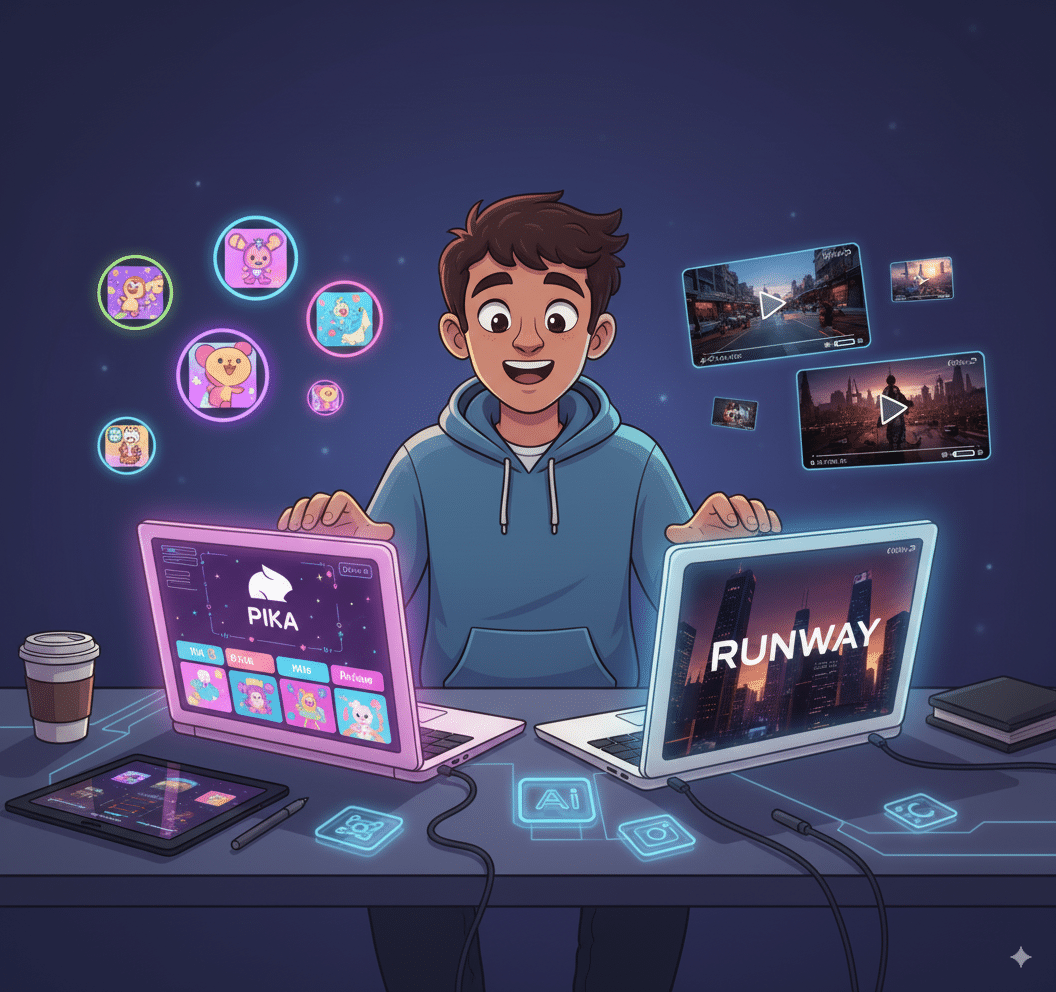
But which one actually delivers? Which one is worth your time, your money, and your sanity? Let’s dig in.
Runway vs Pika: The Quick Rundown
Pika - What’s the Deal?
The scrappy creative startup. Focused on speed, fun, and letting anyone generate animated videos from simple prompts. Wanna add motion, wanna talking heads, wanna just type “flowers blooming under snow in winter months” and watch it happen? That’s Pika.
Pika Labs is basically built for creators who want speed + cool visuals without technical headaches.
Features:
- Text to video, image to video, video to video generation.
- Add motion: make still images move.
- Talking head style clips (characters lip-syncing).
- Dynamic animation for TikTok/Reels/YouTube Shorts.
- User-friendly tools with minimal settings.
Pros
- Fast and fun—great for experimenting.
- User-friendly (literally anyone can use it).
- Quirky results can go viral.
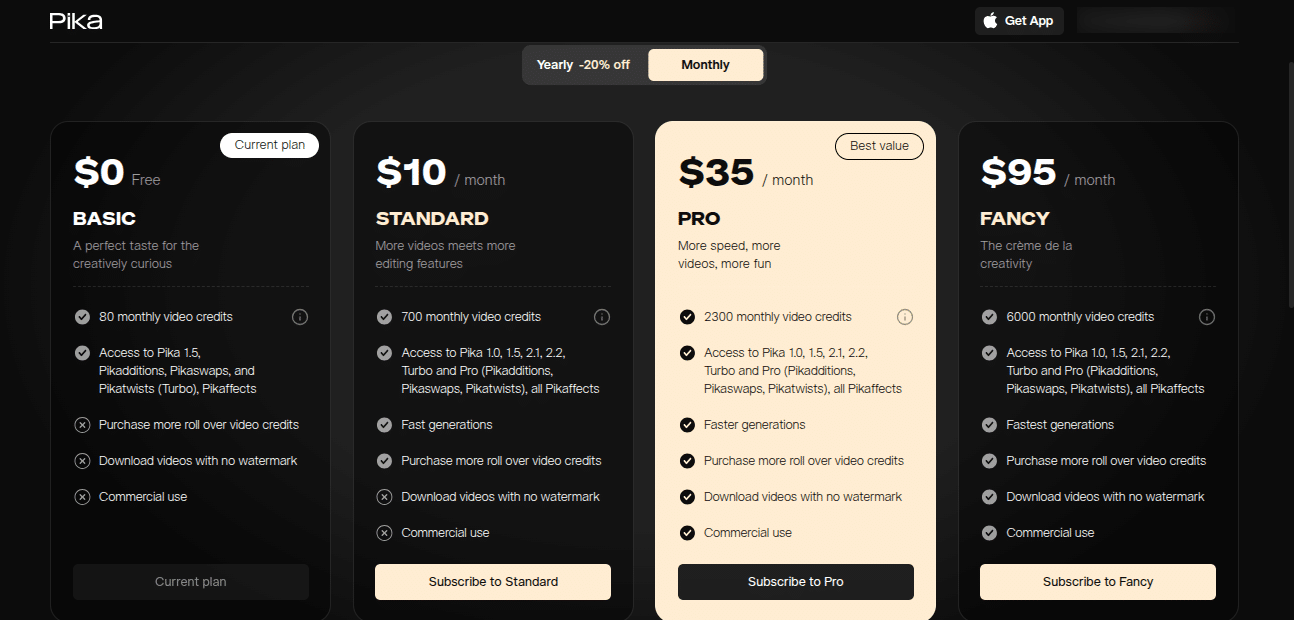
- Affordable/free tiers to get started.
Cons
- Outputs can be inconsistent.
- Not as smooth or cinematic as Runway.
- Still “early” in development, features limited compared to Runway.
Pika Labs is also experimenting with Pika Live—a more interactive tool where you can play with styles in real time. It’s not full-on polished yet, but hey, early users seem impressed.
Runway: The Heavyweight
The polished kid in the room. A full AI-powered video editing and text to video platform. Runway is like your AI assistant that went to art school. They’re big on dynamic camera movements, image to video, and giving you an actual editing timeline so you’re not just stuck with a random AI output.
Runway feels like it was made for agencies, brands, and creators with actual budgets.
Features:
Advanced text to video with cinematic motion.
Image to video with better control over consistency.
A real editing timeline (so you’re not stuck with “AI randomness”).
Camera movements that actually feel planned, not chaotic.
Higher frame rates and smoother motion.
Collaboration options for teams.

Pros
- Super polished outputs.
- Professional-grade camera movements.
- Timeline editing (yes, that matters).
- Better for commercial projects.
Cons
- Can feel too serious/limited if you just wanna experiment.
- Not cheap.
- Higher learning curve vs Pika.
Runway’s marketing itself as the “serious” AI video platform—less meme-y, more “hey, look, we just saved you $20k in production costs.”
Here’s the kicker: they’re in the same category (AI video generators), but they don’t feel the same at all. Runway = structured, pro. Pika = playful, experimental.
Video Generators: How They Actually Work
You’re basically giving these models a prompt (text, image, or video clip), and the AI’s brain (massive trained models) does its magic. It “imagines” frames, motion, and style → stitches them into a smooth clip → exports.
Think of it like: Runway = Christopher Nolan, Pika = TikTok meme lord with ADHD.
👉 If you wanna test how nuts this tech has gotten, check out Runway’s Gen-2 model: Runway Gen-2.
Text to Video: The Sexy Feature Everyone’s Talking About
Text to video is what blew people’s minds in 2023–2024, and by 2025 it’s become a must-have feature.

Experimenting With Both Tools
Here’s my honest take after playing around with both Runway and Pika:
So it depends—are you trying to produce something polished? Or are you trying to play and create fast?
FAQs
Q1: Is Runway free?
Runway offers a free trial, but most useful features are paid. Check their pricing: Runway Pricing.
Q2: Is Pika free?
Yes, Pika has a free tier with limited credits. Paid tiers unlock more features and higher-quality exports.
Q3: Which tool is better for beginners?
Definitely Pika. Runway has a steeper learning curve.
Q4: Can I use Runway for professional work?
Absolutely. It’s designed for agencies, brands, and commercial projects.
Q5: Are pikas (the animals) really endangered?
Not officially “extinct,” but they’re struggling in many regions due to warming climates.
Final Thoughts: Runway vs Pika
If I had to sum it up in one line:
Which one’s “better”? Depends on your vibe. If you’re chasing clients and budgets, go Runway. If you’re chasing views and creativity, go Pika.
And honestly? Use both. Because the AI video game in 2025 is just getting started, and the real winners are the ones who know how to use these tools—not just talk about them.
