

The Best AI Detectors: Top Tools for Accurate Detection and Review
Why AI Detection Matters More Than Ever
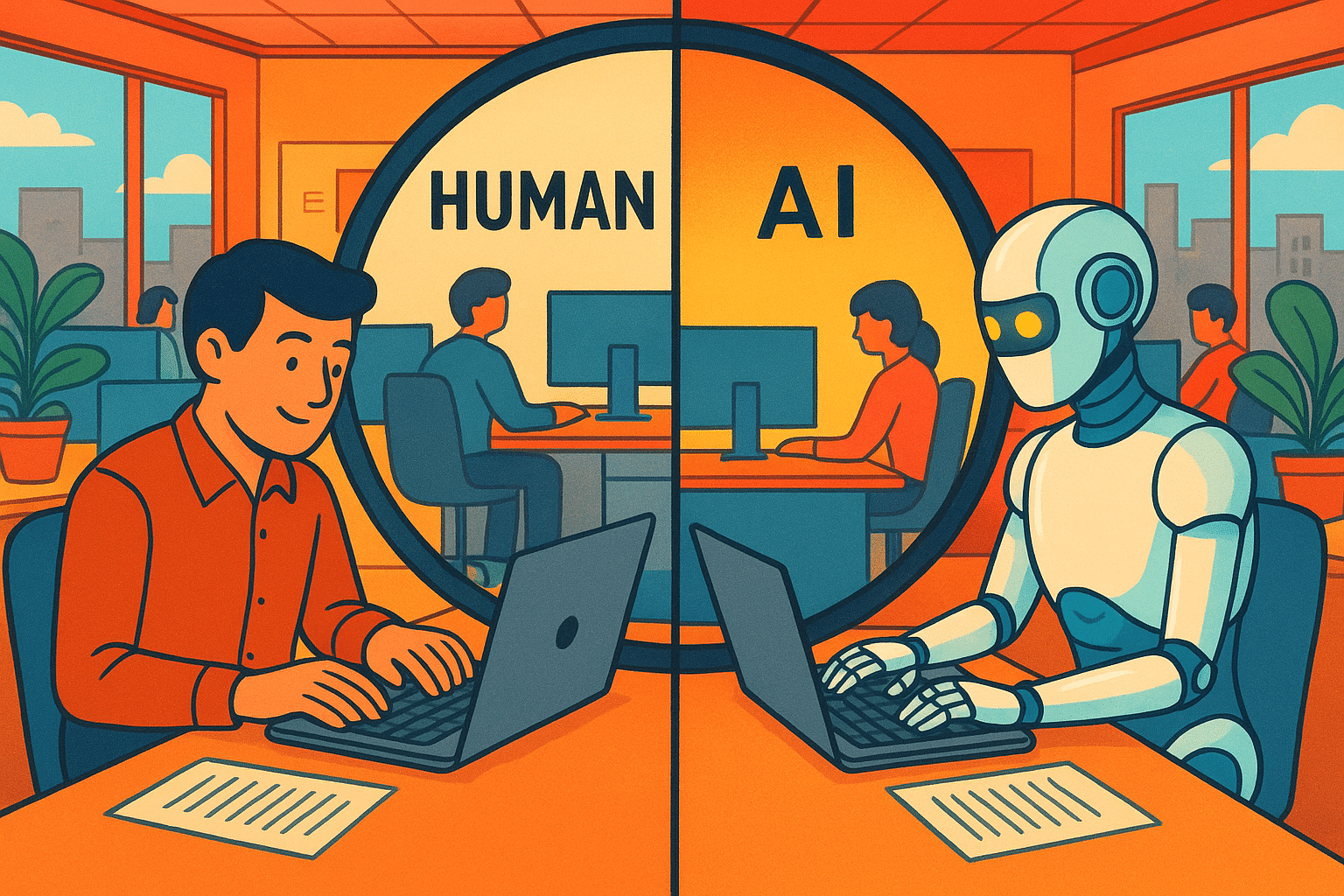
Here’s the truth bomb:
AI-generated content is everywhere. I’m talking blog posts, student essays, resumes, dating profiles—heck, even the “heartfelt” email your boss sent last week might have been ghostwritten by ChatGPT.
And honestly? I’m not here to judge. AI writing tools are incredible. But here’s the catch—sometimes you need to know whether something came from a human brain or an algorithm’s predictive word salad.
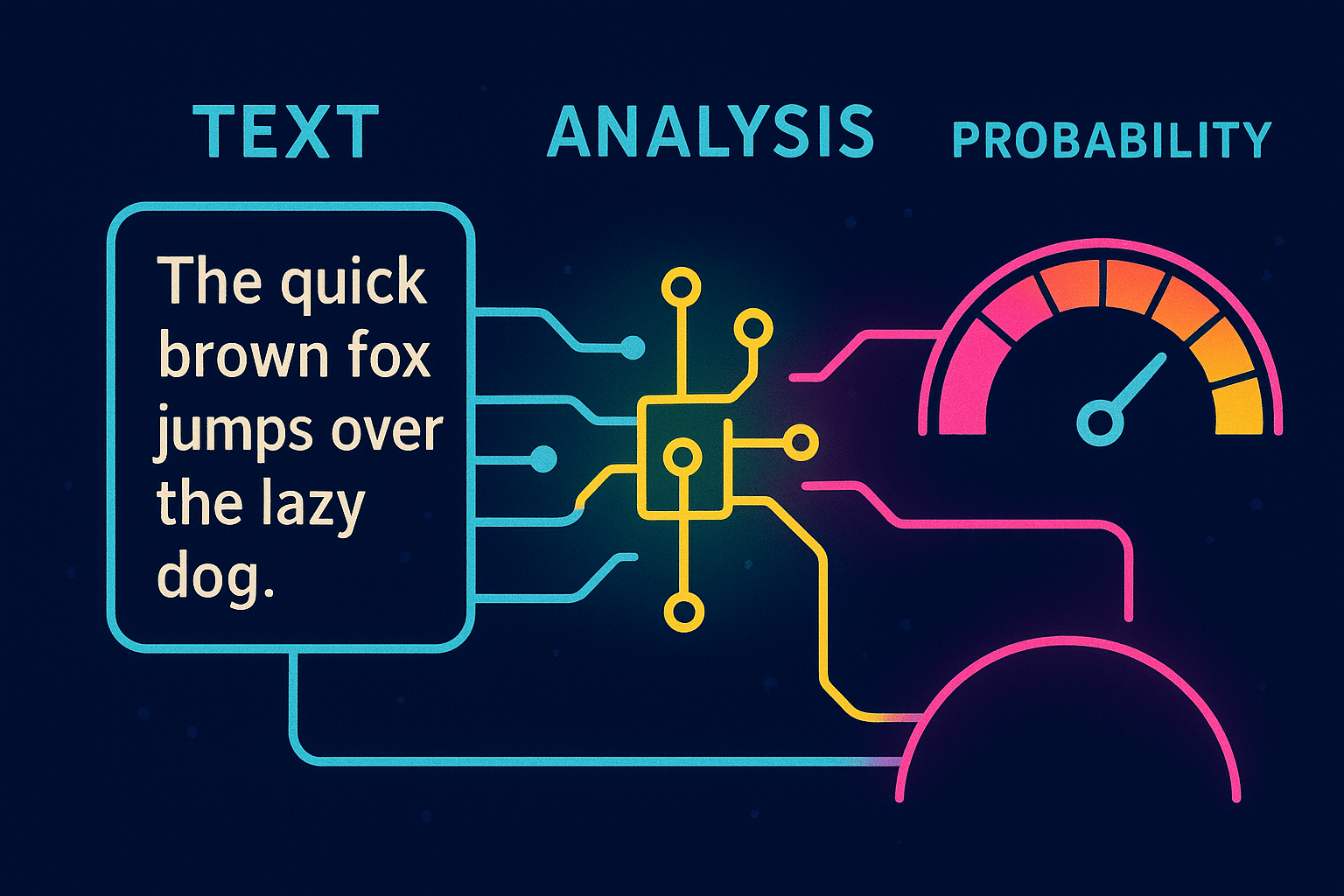
This is where AI detectors step in. They’re like lie detectors, but instead of sweaty palms, they analyze sentence patterns, word probabilities, and… let’s just say “algorithmic fingerprints.”
Side note: Yes, AI detectors can be wrong. False positives happen. If you’re a teacher about to accuse a kid of cheating based on a 92% AI probability score—maybe double-check before you drop the hammer.
How AI Content Detectors Actually Work (No Tech Degree Required)
In simple terms? AI detectors scan your text and compare it against what AI writing usually looks like.
They use:
Some even handle AI-generated images now, using pixel-level analysis to sniff out that Midjourney masterpiece you claimed you drew on your iPad.
For a deeper dive, Hugging Face’s write-up on AI detection models is a geeky but goldmine read.
Best AI Detectors in 2025 – My Top 6 Picks
I’ve tested a lot of these (sometimes in ways the companies probably wouldn’t approve of—cough, feeding them reworded AI outputs). Here’s my honest take.
1. Winston AI – The Accuracy King 👑

If you want the most accurate AI detector I’ve ever tried—this is it.
That’s not marketing fluff; in my testing, it nailed both AI and human text almost every time.
I’ve used Winston AI in client projects where content authenticity was critical (think: university papers, high-profile blog networks, and one very paranoid SaaS founder who swore AI content was “going to ruin the internet”). So here’s the real scoop.
Features:
1. Scary-High Accuracy Rate
Winston AI claims up to 99.98% accuracy when detecting AI-generated text.
That’s not marketing fluff — in my tests, it really is sharp.
It doesn’t just slap a percentage at the end; it highlights which sections are likely AI.
Side note: No detector is 100% bulletproof, but Winston is closer than most.
2. Human Writing Verification
It has a unique “Human Score” that tells you how likely it is a piece was human-written.
Great for teachers, editors, and compliance teams.
If you’ve got mixed content (half human, half AI), Winston usually spots that blend.
3. Plagiarism Detection
This isn’t just about AI — Winston has a built-in plagiarism checker.
It’s not as robust as Copyscape or Grammarly, but it’s solid for spotting direct copy-paste jobs.
I like that it runs plagiarism and AI detection together so you don’t have to jump between tools.
4. Multi-Language Support
Supports English, French, Spanish, German and more.
This is a lifesaver if you’re running multilingual sites or working with global teams.
Caveat: Detection accuracy in non-English can be slightly lower.
5. Content Highlighting
When it flags AI text, it doesn’t just say “yep, it’s AI” — it color-codes the suspicious parts.
Perfect for editors who need to fix rather than just delete.
6. Integration & File Support
Upload DOCX, PDF, TXT or paste text directly.
Google Docs integration isn’t native yet (bummer), but you can paste straight in.
Has API access for developers and content teams who want to bulk-check content.
7. Reporting & Exporting
You can download detection reports (great if you need proof for a client or institution).
I’ve used these as attachments when dealing with guest posts that “mysteriously” smelled like ChatGPT.
8. Team Accounts
Lets you add multiple users, so agencies or schools can share the same dashboard.
Permissions control means you don’t have interns messing with your detection history.
Pros
✅ Ridiculously Accurate – Among the most reliable detectors I’ve tested.
✅ Human Score Feature – Super useful for nuanced results.
✅ Dual Function – AI + plagiarism detection in one platform.
✅ Multi-Language Support – Handy for international teams.
✅ Detailed Reports – Great for compliance, academic disputes, or content QA.
✅ API Access – Developers and agencies can integrate it into workflows.
✅ Color-Coded Highlights – Makes editing and corrections way faster.
Cons
❌ Paid-Only for Full Features – The free plan is very limited (short text checks only).
❌ No Native Google Docs Add-on – You’ll need to copy/paste text manually.
❌ Slightly Slower for Large Files – Uploading 10k+ words can take a moment.
❌ Non-English Accuracy – Still good, but a notch lower than English detection.
❌ Over-Flagging Edge Cases – Sometimes flags overly “formal” human writing as AI.
Pro Tip
If you only want one AI detector and don’t mind paying, Winston might be the “only AI detector” you need.
2. Originality AI – The Content Agency Favorite 📈
Alright — let’s talk Originality.AI, aka the AI detector that feels like it was built with content marketers, SEOs, and digital publishers in mind rather than just academics.
If Winston AI is the schoolteacher with a ruler and Turnitin is the principal, Originality.AI is that private investigator you hire when you really need to know if your “freelance writer” just fed your brief to ChatGPT and hit send.
Features:
1. AI Content Detection
Specializes in spotting AI-generated content from GPT-3, GPT-3.5, GPT-4, Claude, and other AI text generation tools.
Shows a percentage score for “likely human” vs “likely AI.”
You can scan entire articles, blog posts, academic papers, or marketing copy.
2. Plagiarism Detection
Bundles plagiarism detection right alongside AI detection.
Compares against a massive database of published online content and academic sources.
Means you get two checks in one scan — super handy for agencies vetting outsourced work.
3. Team & Client Management
You can add multiple team members and track their scans separately.
Great for agencies, SEO firms, and publishing teams that want role-based permissions.
Can also share reports with clients to prove content originality.
4. API Access
Fully documented API so you can integrate AI detection into your own platform, CMS, or workflow.
Popular with SaaS founders who want to offer AI detection as part of their own tool.
5. Pay-As-You-Go Pricing
Charges by the number of words scanned instead of a flat subscription for everyone.
Makes it cost-effective for businesses that run high-volume checks without overpaying.
6. Browser Extension & Google Docs Integration
Scan directly from Google Docs or via a Chrome extension — no need to copy and paste into the dashboard every time.
7. Multi-Language Support
Detects AI-generated content in English and multiple other languages (though English detection tends to be the most accurate).
Pros
✅ Made for Content Marketers & SEOs – Built for the commercial web, not just academia.
✅ Plagiarism + AI Detection in One – Saves time compared to using two separate tools.
✅ API Integration – Perfect for scaling detection across platforms.
✅ Transparent Pricing – Pay for exactly what you use.
✅ Team Management Features – Great for agencies and publishers.
✅ Google Docs & Browser Extension – Scan without leaving your writing environment.
Cons
❌ Not Free – No free tier, just a pay-per-scan model (though they do offer credits for sign-ups sometimes).
❌ Occasional False Positives – Especially with well-structured, factual human writing.
❌ Better for English – Detection accuracy in non-English languages can vary.
❌ Not Ideal for Education – More focused on commercial publishing than student papers
Pro Tip
If you run a content-heavy site, blog network, or agency, Originality.AI is one of the most efficient ways to ensure your writers aren’t handing you AI spam. But if you’re an educator, you might prefer Turnitin or Winston AI
3. Turnitin – The Academic Veteran 🏫
The OG of plagiarism detection that decided, “Hey, if AI’s gonna write half the internet, we might as well learn how to spot it.”
If you’ve been to school in the last 20 years, you know Turnitin. Now they’ve got AI detection baked right in.
Now, it’s evolved from just catching copy-paste jobs to also detecting AI-generated content.
And spoiler: it’s a beast when used in the right environment.
Features:
1. AI Writing Detection (AI Text Verifier)
Built right into Turnitin’s plagiarism detection platform.
Flags AI-generated text from ChatGPT, GPT-4, and similar models.
Gives a percentage score showing how much of the content is “likely AI-written.”
2. Academic Integrity Focus
Designed specifically for educators and academic institutions.
Doesn’t just detect AI — it also keeps track of plagiarism, self-plagiarism, and text recycling.
Side note: If you’re a student thinking you can bypass it with an AI text humanizer, good luck. Turnitin has been patching bypasses faster than TikTok trends change.
3. Massive Database Access
Compares submissions against billions of webpages, student papers, academic journals, and books.
When paired with AI detection, it’s one of the most thorough content verification systems out there.
4. Seamless LMS Integration
Works directly inside Google Classroom, Canvas, Blackboard, Moodle, and most major learning management systems.
Teachers don’t need to leave their grading environment to check for AI or plagiarism.
5. Multi-Language Support
Detects AI-generated text in multiple languages, not just English.
Particularly useful for international universities and bilingual programs.
6. Enterprise-Level Reporting
Provides color-coded similarity reports plus AI detection percentages.
Easy for teachers to show students exactly where the problem is.
7. Continuous Model Updates
Turnitin keeps retraining its AI detection models to catch newer AI writing styles.
That means it’s adapting alongside tools like ChatGPT and Claude.
Pros
✅ Trusted Brand in Education – Institutions already know and trust it.
✅ Plagiarism + AI Detection in One Place – No need for multiple tools.
✅ Deep Database Access – Covers sources most AI-only detectors can’t touch.
✅ Seamless LMS Integration – Teachers save time by staying in their grading platform.
✅ Detailed Reports – Clear visual breakdowns make it easy to interpret results.
✅ Multi-Language AI Detection – Useful for global classrooms.
Cons
❌ Not for Casual Use – Primarily sold to schools and universities, not individuals.
❌ Pricey for Institutions – Licensing costs can be significant for smaller schools.
❌ Occasional False Positives – Formal, well-edited student writing can sometimes get flagged as AI-generated.
❌ No Standalone Free Version – Unlike Winston AI or GPTZero, there’s no “quick free scan” option.
❌ Privacy Concerns – All submissions are stored in Turnitin’s database (some students don’t love this).
Pro Tip
If you’re an educator or administrator, Turnitin is a must-have. But if you’re a freelance writer, SEO, or marketer, you probably don’t need its full academic-grade setup — Winston AI or Copyleaks would be a better fit.
4. GPTZero – The Academic Hero 🎓

Originally built to help teachers spot AI-written essays, GPTZero has grown into a surprisingly solid all-rounder.
I’ve used GPTZero since the early days when it went viral as “the student who built an AI detector to catch ChatGPT essays.” It’s grown a lot since then, but it still carries that teacher-focused DNA.
If Winston AI feels like a precision scalpel, GPTZero is more like a Swiss army knife — does a lot, sometimes overflags, but it’s accessible and straightforward.
Features:
1. Academic-First AI Detection
Originally built for teachers to spot AI-generated essays.
Still one of the most trusted by schools and universities.
Gives a “Perplexity” score (how unpredictable the text is) and a “Burstiness” score (variation in sentence structure).
Side note: A low perplexity score? That’s often AI. Humans are gloriously messy.
2. Multi-Format Content Checking
Paste text, upload DOCX/PDF/TXT, or check URLs directly.
The URL check is handy for web content audits (e.g., you’re vetting a new guest post or supplier).
3. Highlighted Detection
When it detects AI text, it highlights specific parts so you can review line by line.
This makes it easier to confront a writer without just saying, “The whole thing’s AI.”
4. Multi-Language Support
Supports multiple languages — English, Spanish, French, etc.
Accuracy is best in English, but foreign language detection has improved a lot since 2023.
5. Plagiarism Detection Add-On
Partnered with Copyleaks for plagiarism checks.
Not included in the free version — you’ll need a pro plan.
It’s nice having both AI and plagiarism in one report, but I still prefer running plagiarism separately for deep scans.
6. Educator Tools
Dedicated Educator Dashboard lets teachers manage multiple student submissions.
Tracks history so you can build a pattern over time (useful if a student suddenly becomes Shakespeare overnight).
7. Chrome Extension
You can detect AI content directly on web pages.
Great for quick checks on blogs, LinkedIn posts, or public docs.
8. Free Plan
Yes, there’s a basic free plan for light usage (up to a certain number of words per month).
Not as generous as it used to be, but still nice for occasional checks.
Pros
✅ Educator-Friendly – Built for teachers, intuitive for non-tech users.
✅ Free Tier Available – Good for light or casual use.
✅ Perplexity & Burstiness Scores – More insight than just “AI or not AI.”
✅ URL & File Upload Options – Flexible input methods.
✅ Chrome Extension – Quick detection without leaving your browser.
✅ Multi-Language Support – Useful for global classrooms and content teams.
✅ Plagiarism Integration – Optional but handy if you want a one-stop check.
Cons
❌ Not the Most Accurate for Long SEO Content – Can be outperformed by Winston or Originality AI on long-form web copy.
❌ False Positives – Sometimes flags very polished human writing as AI (especially academic tone).
❌ Free Plan Limits – Small text limits mean you’ll quickly outgrow it if you scan often.
❌ Slower Processing During Peak Hours – Can lag when a lot of users are online.
❌ Plagiarism Check Costs Extra – Not fully bundled in free/pro pricing.
Pro Tip
If you’re in education, GPTZero is a safe bet because it’s simple and designed with teachers in mind. But if you’re in SEO, content marketing, or publishing, pair it with a second detector for accuracy — because Google doesn’t care about “perplexity scores,” it just cares if your content looks like AI.
5. Copyleaks – The SEO Detective 🔍
Copyleaks is like the Swiss Army knife of detection tools—it does AI detection and plagiarism checks in multiple languages.
Copyleaks built its rep as a plagiarism checker, then slid into the AI detection game when ChatGPT exploded. It’s basically that overachiever in class who already did the homework before the teacher even asked.
Features:
1. Dual-Purpose Detection (AI + Plagiarism)
The big sell here: it’s both a plagiarism checker and an AI content detector.
You can check for copied human-written content and AI-generated text in one scan.
This is perfect for editors, publishers, or universities who need academic integrity and authenticity checks in one place.
2. Multi-Format & Multi-Language Support
Supports over 100 languages (yep, not just the usual English/Spanish/French trio).
Detects AI-generated text, AI-translated text, and even AI-paraphrased text.
Accepts DOCX, PDF, TXT, HTML, and more — basically anything you can throw at it.
3. AI Content Detection Across Models
Built to detect text from ChatGPT, GPT-4, Bard, Claude, LLaMA, and other AI models.
Also works on AI text humanizers (tools people use to bypass AI detection).
4. Highlighted AI Detection
Flags suspicious segments so you can review them without scanning the whole doc manually.
Side note: Sometimes it highlights entire paragraphs, sometimes just phrases — depends on the “confidence” level.
5. API Access
Offers API integration for SaaS founders, LMS platforms, and enterprise tools.
If you’re building your own content platform and need AI detection built in, this is a big plus.
6. Chrome Extension & Google Docs Add-On
Detect AI-generated content without leaving your writing environment.
Handy for real-time checking while editing in Google Docs or reviewing online content.
7. Granular Scoring
Gives you a percentage breakdown of AI vs. human-written text.
The report isn’t just “pass/fail” — it tells you how much of the content it thinks is AI-generated.
8. Education & Enterprise Focus
Used by schools, publishers, government agencies, and Fortune 500 companies.
Built with compliance in mind (FERPA, GDPR, CCPA) — good for legal-sensitive industries.
Pros
✅ Two-in-One Tool – Plagiarism detection + AI content detection.
✅ Extensive Language Support – 100+ languages covered.
✅ File & URL Versatility – Works with most file types and web pages.
✅ Detects Paraphrased AI Text – Can catch text that’s been AI-generated and then “humanized.”
✅ Enterprise-Ready API – Scalable for big teams and platforms.
✅ Chrome Extension & Google Docs Add-On – Detect AI content without breaking your workflow.
✅ Detailed Reports – Confidence scores, highlights, and detection breakdown.
Cons
❌ Not Always the Most Accurate for Short Text – Needs longer samples for reliable detection.
❌ Can Be Pricey for Heavy Use – The more you scan, the more it costs.
❌ Occasional False Positives – Overly formal or well-edited text can trigger AI flags.
❌ Interface Feels Corporate – Not as fun or sleek as Winston AI, more “enterprise dashboard” vibes.
❌ Learning Curve for Advanced Features – API and multi-user setups aren’t plug-and-play for beginners.
Pro Tip
If you’re a publisher, school, or enterprise that needs both plagiarism and AI detection in one place, Copyleaks is a no-brainer. But if you just want AI detection and don’t care about plagiarism checks, you might find Winston AI more focused and cost-efficient.
6. Quillbot AI Detector – The Paraphraser Who Snitches 🕵️♂️

The AI tool most people know as a paraphraser, but that quietly has a pretty handy AI content detection feature baked in.
If Winston AI is the strict school inspector and Originality.AI is the SEO bodyguard, Quillbot is more like that friend who says, “Yeah… I think this sounds like AI. Also, want me to rewrite it so nobody notices?
Features:
1. AI Content Detection
Quillbot’s AI detector analyzes text and tells you the likelihood it was generated by AI writing tools like ChatGPT, GPT-3, GPT-4, etc.
Shows a simple percentage breakdown of “likely AI” vs. “likely human-written text.”
Works best with larger chunks of text (300+ words) for accuracy.
2. Paraphrasing & AI Text Humanizing
The big kicker: if something is flagged as AI-generated, Quillbot can paraphrase it to sound more human.
Comes with multiple modes — Standard, Fluency, Creative, Formal — so you can tweak tone and style.
Not just for bypassing AI detectors (though… let’s be real, people use it for that).
3. Grammar & Spell Check
Built-in grammar checker to fix spelling, punctuation, and sentence structure.
Similar to Grammarly but integrated into the same workspace as the AI detector.
4. Summarizer
Can condense long articles or papers into key bullet points or short paragraphs.
Great for research-heavy work.
5. Citations & Academic Tools
Generates citations in APA, MLA, and Chicago styles.
Handy for students and researchers trying to maintain academic integrity.
6. Chrome Extension & Google Docs Integration
Works directly in Google Docs and via browser extensions for quick on-the-fly checks.
Pros
✅ Two-in-One – Detect AI-generated content and immediately rewrite it.
✅ Affordable – Has a free plan with limited scans, plus reasonable premium pricing.
✅ Great for Students – Citation generator + paraphrasing + plagiarism checker in one.
✅ Chrome Extension – Instant checks without leaving your workflow.
✅ Multi-Language Support – Works with text in multiple languages.
Cons
❌ Detection Accuracy is Mid-Tier – It’s good, but not as precise as Winston AI or Originality.AI.
❌ Paraphrasing Can Be Overused – Too much rewriting can make your content sound generic.
❌ Free Plan Limits – You’ll quickly hit the cap if you’re doing heavy detection.
❌ Not Built Solely for AI Detection – It’s a broader writing tool, so the detection feature is more of an add-on.
Pro Tip
Quillbot’s AI detector is great for quick checks and fast rewrites. If you need forensic-level AI detection for high-stakes publishing or academic review, go Winston or Originality.AI. But if you want something to spot-check and then humanize text in one go, Quillbot’s hard to beat.
Final Thoughts: Which One Should You Use?
If you want the most accurate: Winston AI.
If you’re a teacher: GPTZero or Turnitin.
If you’re an SEO/content marketer: Originality AI or Copyleaks.
Bottom line—AI detection isn’t perfect, but it’s becoming a must-have in 2025. As AI keeps improving, so will the detectors. Just… don’t use them as the sole judge, jury, and executioner.
