

Mastering DaVinci Resolve: The Best Free Video Editing Tool
Alright, let’s just get this out of the way: DaVinci Resolve in 2025 is still insane. Like, the fact that this is a free version (yes, free free, not fake free with ads everywhere) and it still smashes half the so called “pro” editors… yeah, that blows my mind.
And then you’ve got DaVinci Resolve Studio, the paid one, which, okay, it’s not cheap but the features you get — things like advanced HDR grading, voice isolation, the whole neural engine magic stuff — are basically unfair compared to other editors.
But let’s slow down. I’m kinda jumping ahead. This is a review but also kinda a messy guide and me rambling about why I keep uninstalling then reinstalling Premiere Pro when honestly… I could just stick with Resolve.
Why DaVinci Resolve is “one software tool” you actually wanna use
So here’s the thing: normally video editors are like, “get this app for visual effects, that app for audio post production, oh and another one for motion graphics.” Resolve? Nah. It’s literally all in one.
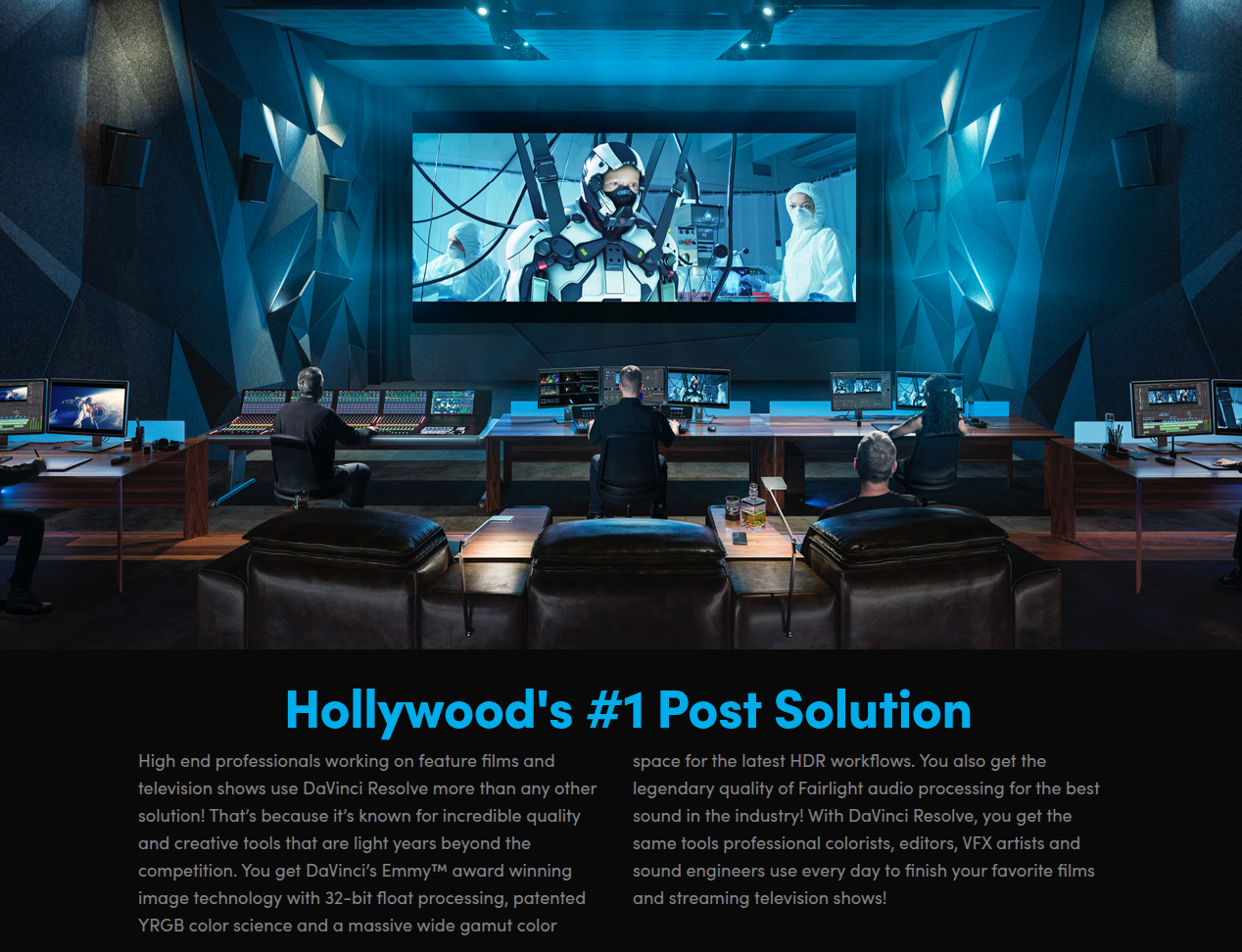
It’s like, finally, you don’t need 5 apps. Blackmagic Design (the developer) just crammed it into one giant software tool.
👉 Download DaVinci Resolve from Blackmagic Design
👉 Download DaVinci Resolve for IPad on the App Store
Interface: confusing but worth it
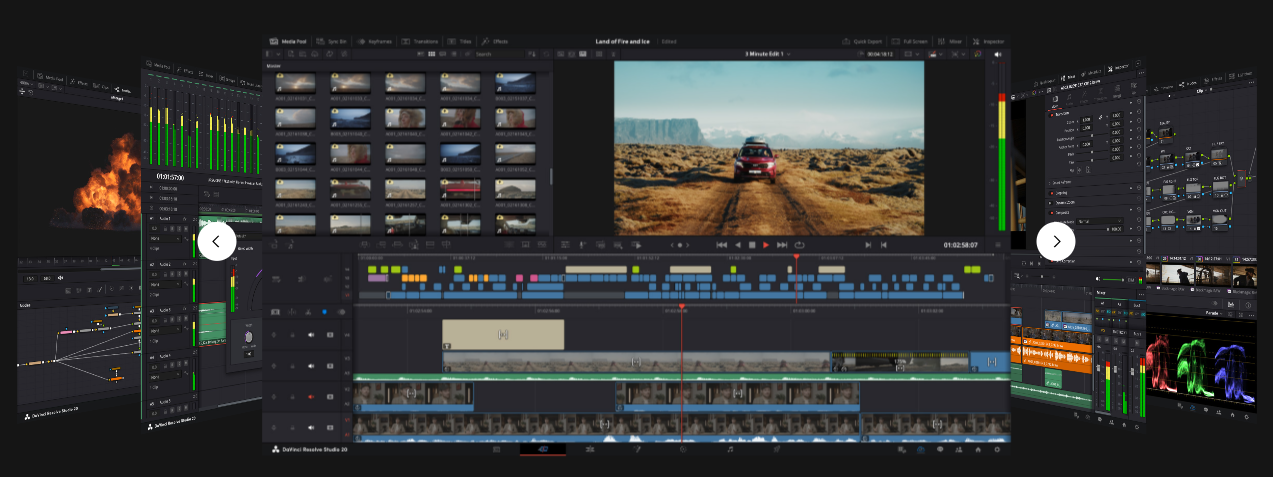
Now, I’m not gonna lie — the steep learning curve is real. If you’re coming from Final Cut Pro or Adobe Premiere Pro, the layout looks like an alien spaceship dashboard at first. But once it clicks? Oh boy.
I love how the pages are divided. Like, you don’t get lost editing audio files when you’re supposed to be cutting clips. Each “page” has its focus. But also, yeah, sometimes you’ll forget which page you’re in and wonder why your editing tools disappeared (happened to me more times than I’d like to admit).
And customization? Pretty solid. You can rearrange panels, adjust layouts, and make it feel like your workspace. It’s not as “locked” as Final Cut.
Smart Editing Tools That Actually Save Time
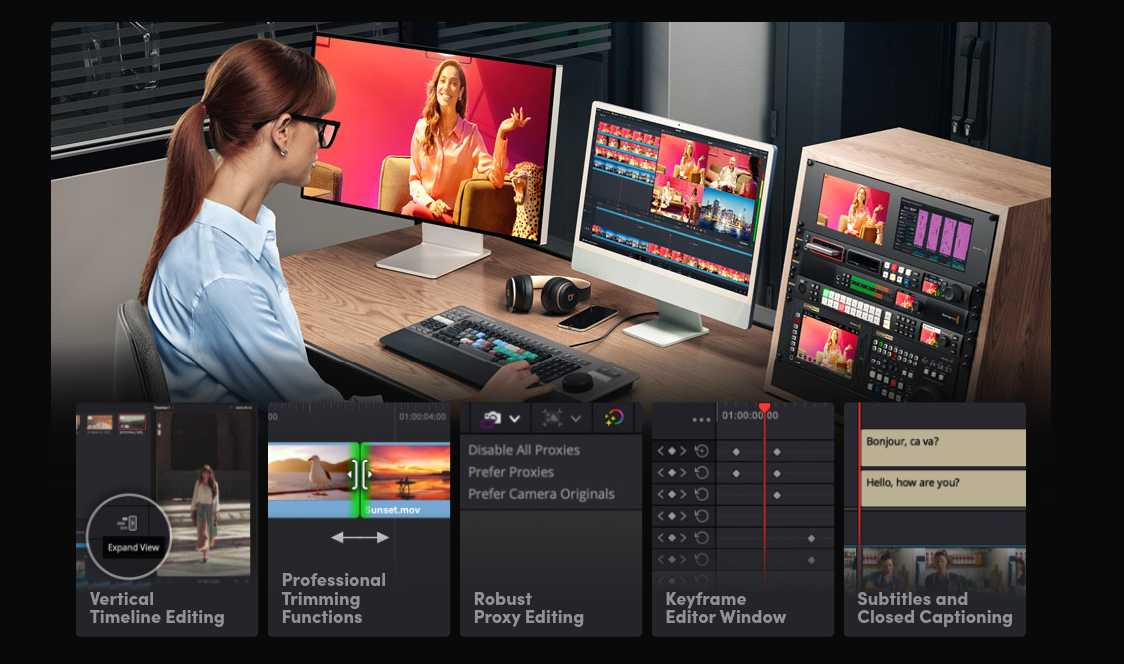
So yeah, smart editing tools aren’t just buzzwords here. Stuff like the source tape is honestly underrated — it lets you scroll through all your clips like it’s one long tape. No digging through 200 little thumbnails.
And dual timelines — top shows your big picture timeline, bottom shows zoomed in detail. Super handy when you’re juggling tight deadlines or working with 50+ cuts in a sequence.
The dedicated keyframe editor is neat too. You can actually animate effects smoothly without pulling your hair out. And yeah, animated subtitles are a thing now, which is huge for social videos.
Fusion Page: motion graphics without After Effects
The Fusion page is like, okay, not as plug and play as After Effects, but once you wrap your head around nodes (ugh, nodes), you can create legit motion graphics, image tracking, depth map effects, and even some wild magic mask tricks.
Example: I had a clip where I wanted to isolate a moving subject and blur the background. Normally, I’d spend hours rotoscoping in Premiere. In Resolve? The magic mask + neural engine = done in like 2 minutes.
Not saying it’s perfect. Sometimes it glitches and your subject’s face melts. But hey, it’s free.
Color Pages: still the gold standard
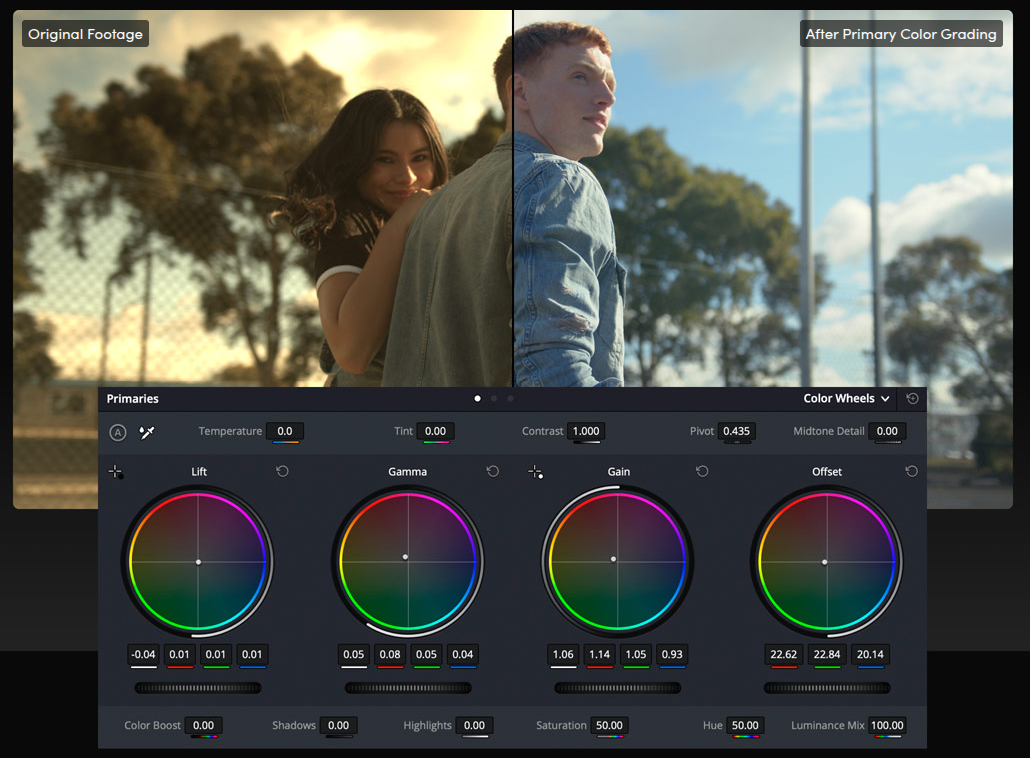
This is where DaVinci Resolve destroys everyone. Colour correction and grading in Resolve feels… buttery. You’ve got color wheels, curves, depth map grading (like separate foreground/background), and all the usual scopes.
People literally download Resolve just to grade and then export to another editor. It’s that good. Even the free version gives you pro-level color correction. But if you get Resolve Studio, you unlock stuff like HDR wheels and noise reduction that just make your footage look cinema ready.
And if you’re working on ultra HD or even higher (8K, god help you), you’ll need that Studio upgrade for realtime playback.
Fairlight Page: audio post production that doesn’t suck
Let’s be honest: most editors treat audio like an afterthought. Not here. The Fairlight page is basically its own DAW (digital audio workstation).
If you’ve ever used Audition, you’ll feel at home. But if you’re new, yeah, it’s overwhelming. Still, I’d rather learn one page than keep bouncing files across 3 apps.
Performance and System Requirements
Here’s the brutal truth: Resolve eats system memory like candy.
You want smooth video editing in Resolve? You need:
On my M1 MacBook Pro, the free version flies with 4K footage. But try 8K RED RAW on a mid-tier PC? Yeah, prepare for pain.
Also, the render queue is awesome — stack up multiple exports and walk away. Just don’t forget to set your output folder (speaking from embarrassing experience).
Collaboration and Blackmagic Cloud
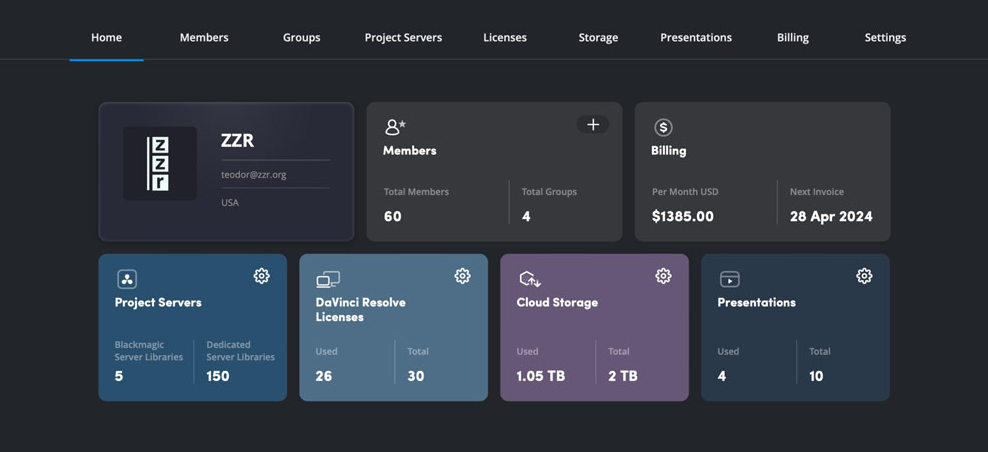
This is newish and actually useful: Blackmagic Cloud. It lets you do remote collaboration, so editors, colorists, and sound guys can all work on the same project at once.
You’ve also got project libraries stored online, and the sync bin makes multicam editing across teams smoother. It’s not Google Docs easy, but for professional video editors working across countries, this is a game changer.
Comparing Resolve to Premiere Pro and Final Cut Pro
Pros
Cons
FAQs
Q: Is DaVinci Resolve completely free?
Yep. There’s a free version that honestly feels like it should cost money. Then there’s DaVinci Resolve Studio if you want the extras.
Q: Can I replace Premiere Pro with Resolve?
I mean… yeah. Unless you rely on Adobe’s ecosystem (like After Effects templates), Resolve can do almost everything.
Q: What’s better for Mac, Final Cut or Resolve?
If you want Apple native speed and simplicity, Final Cut Pro. If you want advanced tools and cross platform freedom, Resolve.
Q: Do I need a powerful PC for Resolve?
Kinda, yeah. System memory and GPU are key. Otherwise you’ll hate life with dropped frames.
Q: Is Resolve good for beginners?
Depends. The learning curve is steep, but the free tutorials and community are massive. If you stick with it, it’s worth it.
Final Words (messy, but real)
So, DaVinci Resolve in 2025? Still the beast. Still free. Still feels like cheating compared to paying monthly for Premiere Pro.
It’s not perfect — the Fusion page can be intimidating, the Fairlight page can drown you in audio options, and your PC might cry if it’s not specced out. But honestly? If you’re serious about being a video editor or even just a content creator who wants pro tools without selling your kidney, this is it.
And yeah, future updates keep adding stuff like magic mask upgrades, AI powered depth map tricks, and smoother remote collaboration. It’s only getting better.
So yeah, download it, mess around, break a few timelines, render the wrong clip by accident, join a forum when you get stuck, and just… create. That’s the fun of it.
(Also, pro tip: save your projects often. Resolve is stable but when it crashes mid render… you’ll cry. Learned that the hard way.)
Read VN Video Editor Review
