

Enhance Your Videos with Filmora
So what’s the deal with Filmora anyway

Alright so let’s just say it straight, Filmora (yep the Wondershare Filmora you’ve seen everywhere) is one of those video editing apps that kinda sneaks up on you.
You think it’s just another “starter” video editor but then you poke around a bit and suddenly you’re knee deep in AI music, AI voice enhancer, fancy color palettes, smart tracking and like… you start wondering if you even need to mess with those giant complicated editors like Adobe Premiere Pro or Final Cut.
It’s marketed as beginner friendly and honestly it is. But don’t sleep on it.
Because Filmora’s video editing journey has been getting way more advanced features in the last couple of years and in 2025 it feels almost like it’s made for both casual YouTubers and serious video creators who want to just get stuff done with minimal effort.
Also, the software interface is way less intimidating. Everything’s colorful, buttony, drag-and-droppy. It makes sense, you know.
AI features that feel like magic sometimes
Okay here’s where it gets fun. Filmora has been cramming in AI features left and right.
AI portrait cutout – basically green screen without green screen. It cuts the background from a person and you can throw them into another scene. Great if you don’t have a studio.
AI voice enhancer – if your audio sounds like you recorded it in a bathroom (no offense) this actually makes it way cleaner.
AI video enhancer – makes low res footage look less like a potato.
Smart tracking – you can stick text or images to a moving object in your video, and Filmora tracks it automatically.
Honestly, I wasn’t expecting them to nail this stuff, but it’s actually solid. Not perfect like expensive pro tools, but for creators on YouTube or Facebook or even just your own projects, it works.

Pros
- Super intuitive software interface that doesn’t scare beginners
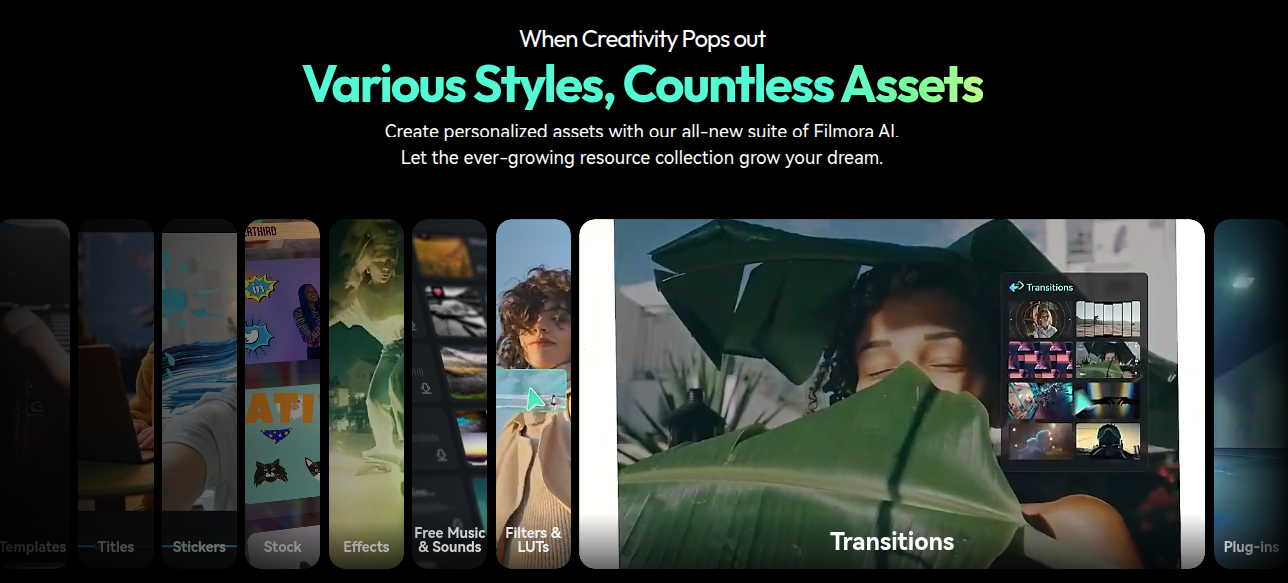
- Tons of built-in templates, transitions, and special effects
- Constant new AI features like AI portrait cutout and AI video enhancer
- Handles video clips up to 4K pretty well
- Integrated royalty free music library
- Works across platforms (Mac, Windows, iPhone)
- Great balance between simple and advanced
Cons
- Some features are locked behind Filmora Pro or subscription
- A few effects feel gimmicky or cheap
- Heavy projects can lag depending on your computer specs
- Not as deep as Final Cut or Premiere Pro for professionals
- Language barriers in tutorials sometimes if you rely on global community
First steps in video creation with Filmora
So if you’re totally new, you literally just hit new project. You toss in your video clips (drag from your computer, drop in timeline). Trim, cut, merge. Boom. The editing process is super visual.
Then you’ll probably play around with background music because let’s be honest — nobody likes silent videos. Filmora has royalty free music bundled in (which saves you from copyright headaches). And you can also just add music from your own files.
If you’re making TikTok style content or YouTube Shorts, Filmora’s smart short clips tool is surprisingly useful. Like you give it a long clip and it’ll spit out some shorter “social ready” cuts. Sometimes it nails it, sometimes you’ll be like “ehh no thanks” but it’s handy.
Download Filmora from Google Play
Download Filmora from App Store
Advanced editing tools you’ll eventually stumble into
So Filmora isn’t just for trimming. If you dig deeper:
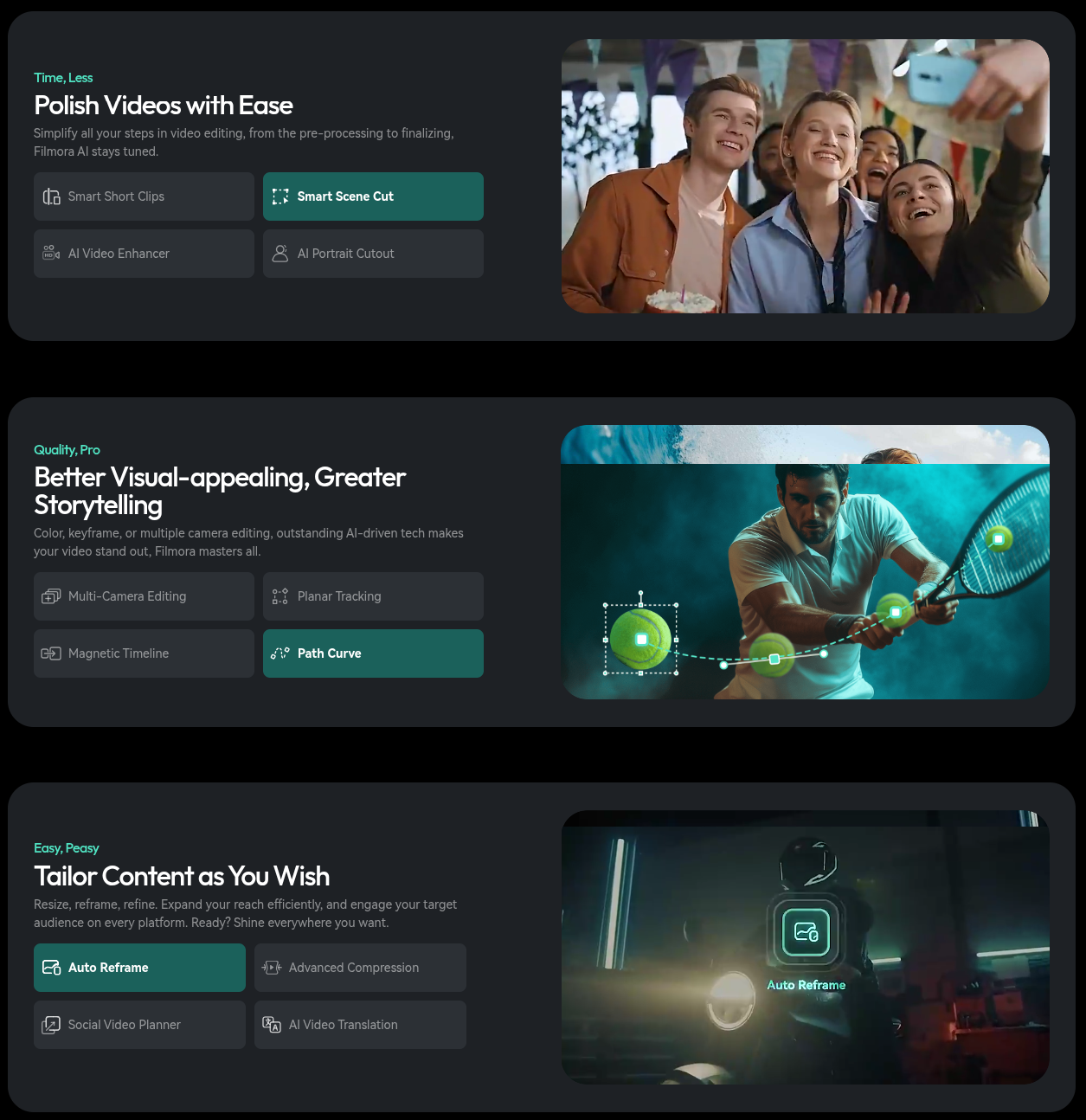
If you’re into sound, Filmora’s audio editing isn’t bad either. You can drop sound effects, fade audio, balance levels, use the voice enhancer, and it’s all pretty intuitive.
Filmora Pro (yep there’s an upgrade)
So yeah, there’s Filmora Pro. If the basic one feels like training wheels, Pro is the more advanced big sibling. You get:
But here’s the thing, a lot of people don’t even bother because the standard Filmora already covers most creator needs. If you’re not editing feature films but mostly YouTube, short form, or event videos, regular Filmora is plenty.
The actual software interface
The Filmora interface is like… friendly. Bright buttons. Not buried in menus. Drag and drop works for most things. There’s a big preview screen, a tidy timeline, and tabs for templates, transitions, music, effects.
Compared to like Final Cut or Premiere Pro, Filmora doesn’t overwhelm you with a million panels. Which I love. It feels smooth, and you can just figure things out without reading a manual.
Also, yes it runs on both Mac and Windows, and there’s even an iPhone version if you wanna edit on the go.
Read VivaVideo Review
FAQs
Is Filmora free?
There’s a free trial, but to remove watermarks and unlock full stuff you’ll need to buy a license or subscription.
Does Filmora support 4K?
Yep, both standard and Pro handle 4K editing.
Can I use Filmora on Mac?
Yes, it runs fine on Mac and PC, and there’s an iPhone app too.
What’s the difference between Filmora and Filmora Pro?
Filmora Pro has deeper features like more advanced audio, color grading, and project flexibility. But most creators don’t really need it.
Is Filmora good for YouTube?
Absolutely. Templates, smart short clips, and easy export to YouTube make it creator friendly.
Final words (but not too final)
So yeah, Filmora in 2025 feels like a sweet spot. It’s simple enough for beginners, stacked enough for semi pros, and doesn’t drain your life like Adobe subscriptions. If you’re chasing new possibilities in your video editing journey without needing a Hollywood studio setup, Filmora makes sense.
It’s not perfect. Some effects are meh, the upsell to Filmora Pro can be annoying, and yeah sometimes heavy footage makes it chug. But honestly, for video creation that just works, with minimal effort, it’s kinda the best bang for your buck right now.
