

Quetext Plagiarism Checker: A Comprehensive Review of Its Features

Let’s get something out of the way: plagiarism sucks. Whether you’re a student trying to survive a semester, a content writer grinding out blogs for SaaS founders, or a researcher who’s been up all night, the last thing you want is to submit something that turns out to be “accidentally stolen.” Been there. Burned once. Never again.
That’s where plagiarism checkers come in—and today, I’m taking a long, brutally honest look at Quetext.
Yep, the same Quetext you’ve probably seen floating around with promises of AI detection, DeepSearch technology, and “detailed plagiarism reports.”
I’ve used it. I’ve tested it against other tools (Turnitin, Grammarly, Copyscape). And I’ve had my fair share of “Wait… what do you mean this paragraph is plagiarized? I literally wrote it at 2 AM with coffee shakes.”
So let’s talk about what Quetext actually does, what it doesn’t, and whether it’s worth your money—or if you should just stick to the free plan.
Quetext (What It Is & Why You Should Care)

Quetext is a plagiarism checker. At its core, that’s it. You paste text or upload a file, and it scans against millions of online sources, academic papers, and its own database to find similarities.
It’s designed for:
The main selling point? It’s simple, it’s fairly accurate, and it gives you a detailed plagiarism report without making you feel like you need a PhD to understand it.
Side note: I’ve used Quetext’s free version plenty of times just to double check client blogs. It’s like running spell check—you know it’s not perfect, but better safe than sorry.
🔗 Want to see it for yourself? Here’s the official site: Quetext
Importance of Plagiarism Detection (Yes, It Actually Matters)
Plagiarism isn’t always intentional. Sometimes it’s accidental plagiarism. You write a sentence that sounds too much like something you read earlier, or you forget to cite a source. Boom—flagged.
If you’re in academia, this can mean failing grades, disciplinary action, or worse—having your research questioned.
If you’re a content writer, it can mean losing clients or tanking your SEO because Google hates duplicate content.
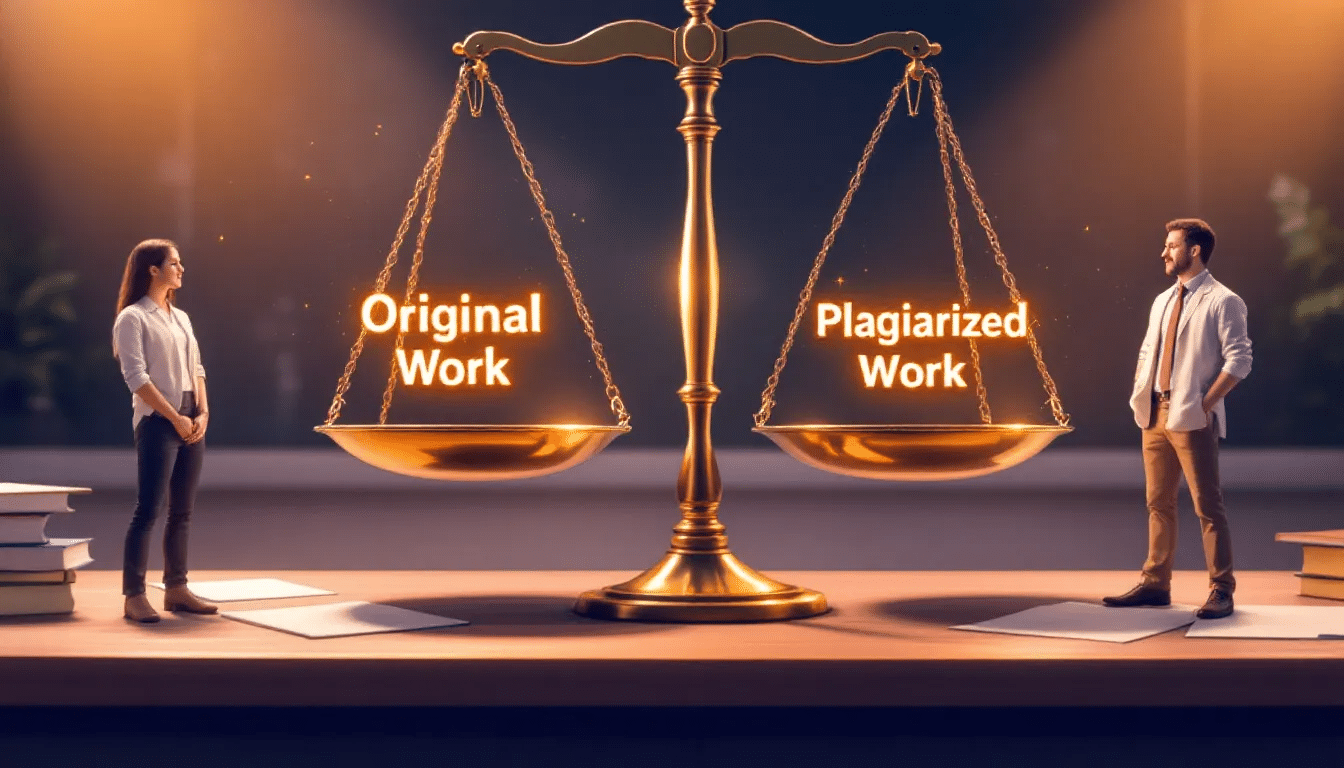
Quetext helps here with:
Honestly, plagiarism detection is less about “catching thieves” and more about saving your own butt.
Features of Quetext
Let’s break down the shiny features they list on their site vs. what actually matters in practice:
👉 Side note: I really like that it handles mosaic plagiarism (a.k.a. patchwork plagiarism, where you rephrase someone else’s words but keep the same structure). That’s sneaky plagiarism most students don’t even realize they’re doing.
How Quetext Works

Here’s the oversimplified version:
- You upload your text (Word, PDF, Google Drive, whatever).
- It scans against search engines, online sources, academic work, and internal databases.
- It uses machine learning + natural language processing to detect similarities—even if something has been paraphrased.
- You get a detailed report with highlights, percentages, and sources.
Their DeepSearch technology is the standout.
Unlike some checkers that only catch exact matches, Quetext can flag paraphrased content. That’s where it beats tools like small SEO checkers or free plagiarism detectors.
Types of Plagiarism Detected
Quetext covers most of the usual suspects:
It even catches AI content—though let me be honest, no AI detector is 100% reliable. You’ll still get false positives (flagging human writing as AI) and false negatives (missing AI content).
Quetext’s AI Tools (Detector + Prevention)

Alright, let’s talk AI—because that’s the buzzword everyone’s throwing around.
Do I trust it 100%? Nope. But as an extra layer of checking, it’s solid.
Fun fact: I once ran one of my totally human-written articles through Quetext and it flagged me as “AI-generated.” Thanks, robot overlords.
Grammar Checking & Extra Writing Tools
Quetext isn’t just a plagiarism checker—it throws in some bonus writing tools:
It’s not going to replace your full writing suite, but it’s nice having it all in one place.
Integration & Compatibility

I tested it with Google Docs—it wasn’t as seamless as Grammarly, but uploading worked fine.
User Experience & Support
This is where Quetext shines:
Honestly, I like how “at a glance” the reports are. Unlike Turnitin (which sometimes feels like reading tax forms), Quetext keeps it simple.
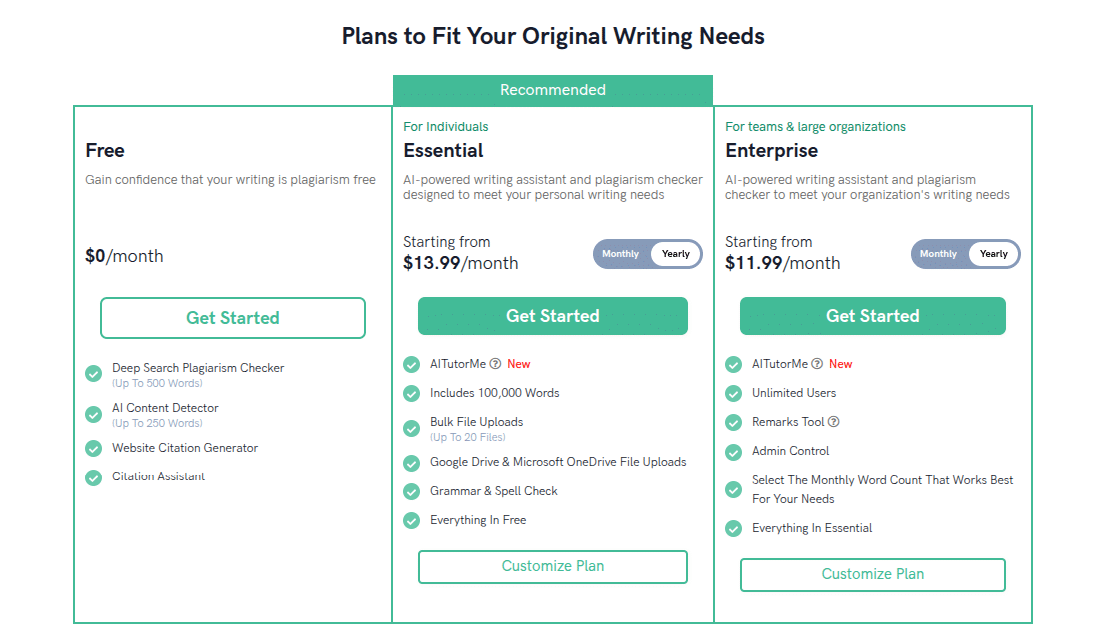
Pricing & Plans
Alright, the money question:
Pros & Cons (My Take)
Pros
Cons
FAQs About Quetext
1. Is Quetext reliable?
Yes, for most use cases (students, content writers, SEO folks). But don’t expect 100% perfect AI detection.
2. Does Quetext detect AI writing?
Yes, it has an AI detector. But like all detectors, it can misfire. Always double check.
3. Can Quetext catch paraphrased content?
Yep. Its DeepSearch technology is built for detecting paraphrasing and mosaic plagiarism.
4. Is the free plan worth it?
For occasional checks, yes. But if you’re writing regularly, you’ll outgrow it fast.
5. Can Quetext integrate with Google Drive?
Yes, you can upload from Drive. But real-time integration isn’t as smooth as Grammarly.
6. Is Quetext better than Turnitin?
For individual users—yes. For universities, Turnitin still rules.
Final Thoughts
Quetext is reliable, affordable, and user-friendly.
It’s not perfect—AI detection still feels experimental, and the free plan won’t get you very far. But if you’re a student, content writer, or freelancer who needs to double check work before submitting, Quetext’s plagiarism checker is a solid option.
Would I recommend it over Grammarly’s plagiarism checker? Honestly, yes.
Would I recommend it over Turnitin? Only if you’re not in academia.
At the end of the day, Quetext is like that dependable friend—you might not trust them with your deepest secrets, but you’d totally call them to double check your work before sending it to your boss.
